











English
Bowl Trimmer Manual
Model Name
-
VSS-BT13
-
VSS-BT16
-
VSS-BT19
Safety Information
Please read the following safety information carefully before using this product. Failure to follow these instructions could result in serious injury and will void all product warranties and release Vivosun from liability.
-
Please read this manual carefully before assembly, use, or maintenance. Operate the trimmer in accordance with all applicable laws and regulations.
-
This product contains sharp blades and electrical wiring. Always wear appropriate protective gloves and handle with care during assembly, use, and maintenance.
-
Do not insert fingers or any objects into the screen grid.
-
Use this product only for trimming plant material. Do not use it for any other purpose.
-
Store the blades securely when not in use, and apply protective covers to sharp parts.
-
Keep this product out of the reach of children.
-
Clean the product with a damp cloth only. Wear protective gloves and exercise caution while cleaning.
-
The manufacturer is not responsible for any damage to or caused by the trimmer resulting from improper use or installation.
-
If you notice any defects or damage to the product or its components, discontinue use immediately and contact us. Do not attempt to replace or modify any components without proper authorization, as doing so will void the warranty.
Product Contents
| Image | Name | Quantity |
|---|---|---|
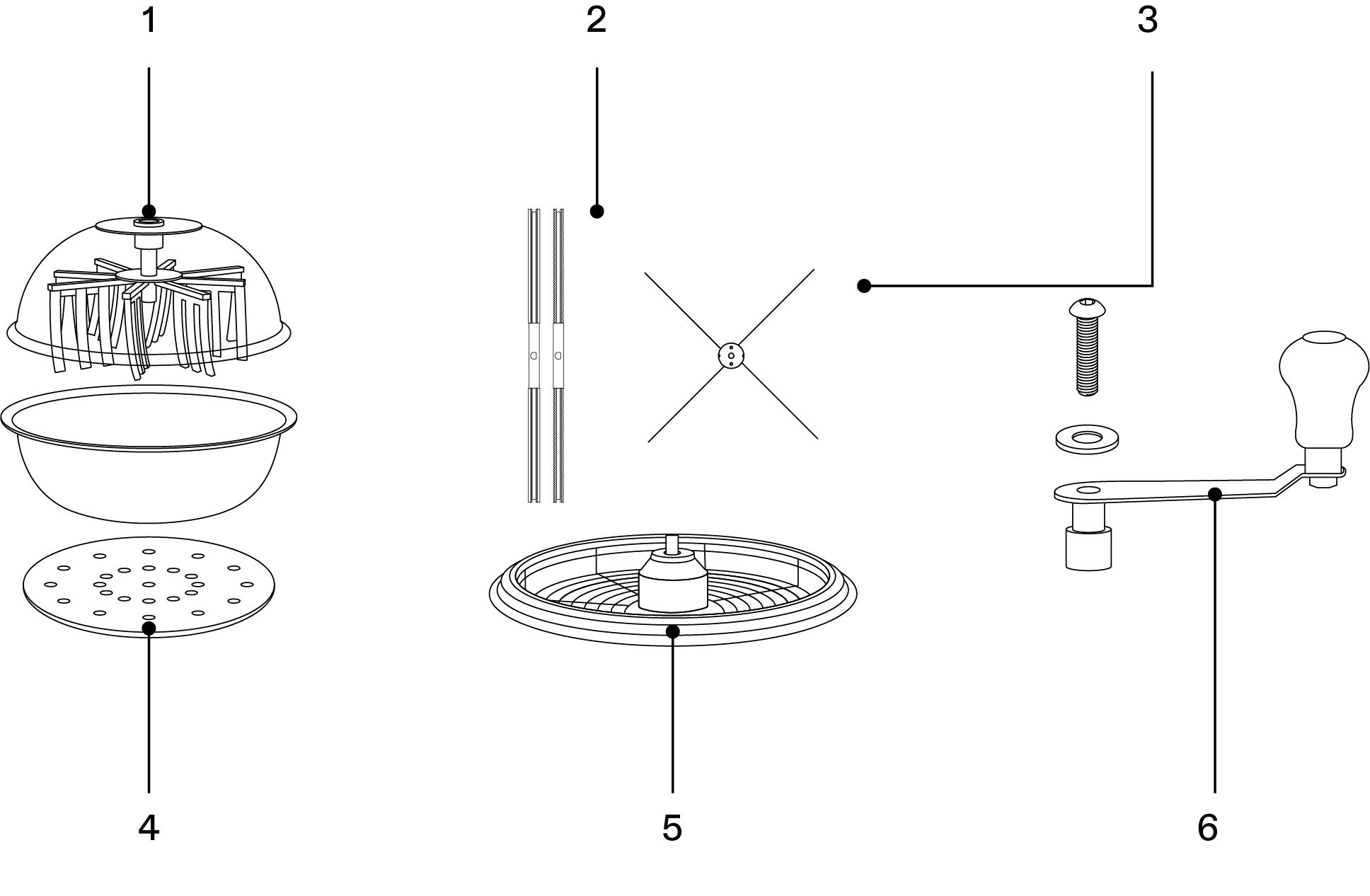
|
Dome |
1 PC |
|
Mesh Screen |
1 PC |
|
Stainless Steel Container |
1 PC |
|
Handle |
1 PC |
|
Blade |
2 PCS |
|
X-Blade |
2 PCS |
|
Anti-Slip Pad |
1 PC |
|
Shears |
1 PC |
|
U-Type Scissors |
1 PC |
|
Screw |
1 PC |
|
Washer |
2 PCS |
|
Hex Wrench |
1 PC |
| No. | Description | No. | Description |
|---|---|---|---|
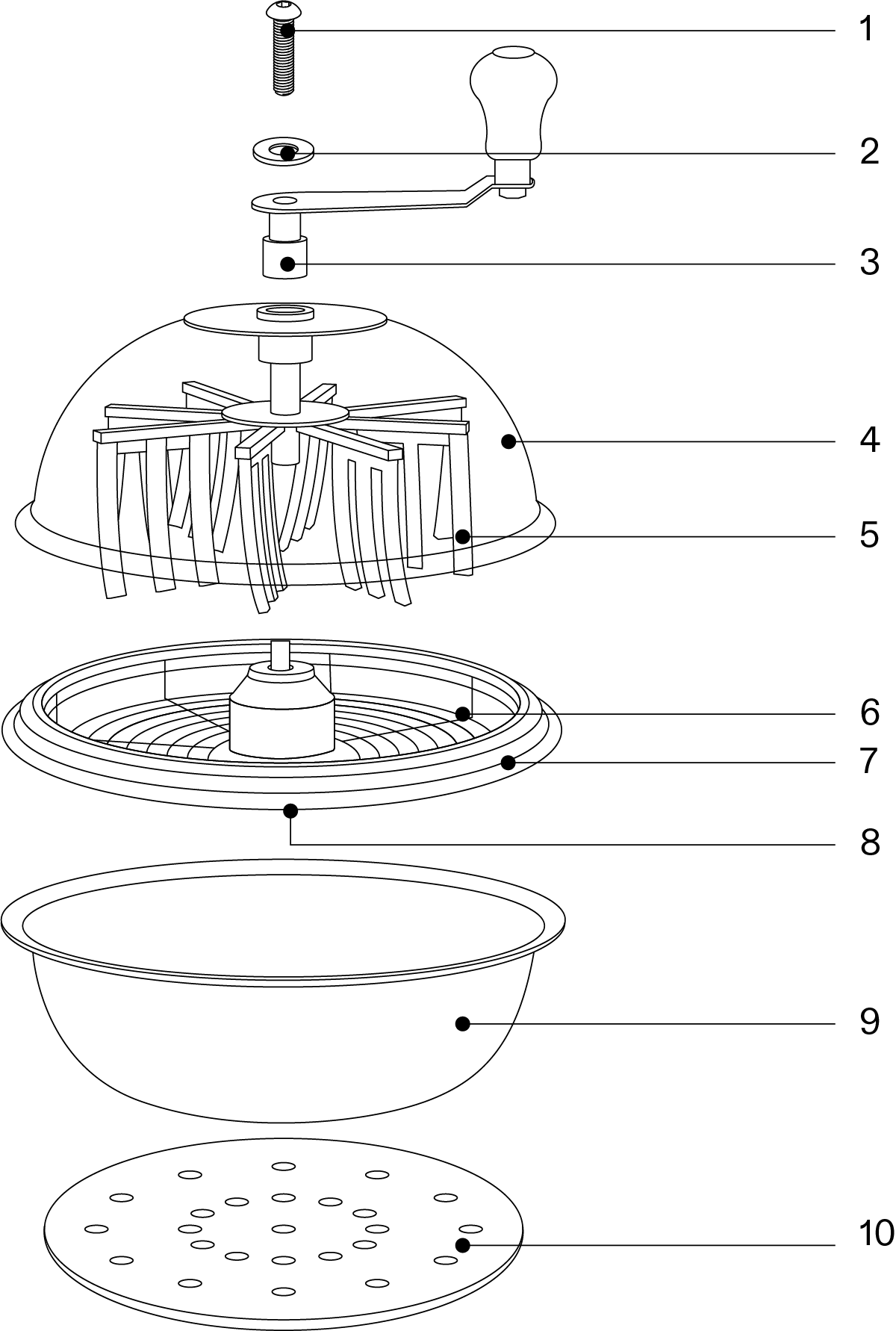
1 |
Screw |
2 |
Washer |
3 |
Rotating Handle |
4 |
Clear Cover |
5 |
Sweeping Curtains |
6 |
Mesh Screen |
7 |
Sealing Ring |
8 |
Rotating Blades |
9 |
Stainless Steel Container |
10 |
Anti-Slip Pad |
Key Features
-
DIFFERENT SIZES : 13"-19" bowl trimmer featuring a clear dome and a stainless steel container.
-
STAINLESS STEEL BLADES : Four-edged stainless steel blades deliver powerful cutting performance and long-lasting durability.
-
DRY & WET TRIMMING : Three interchangeable blades designed for trimming both dry and wet buds.
-
CLEAN & SAFE : A fully sealed dome and anti-slip base ensure safe, stable, and mess-free trimming.
-
FOOD-GRADE MATERIAL : Made from food-grade materials to keep you safe and protect your health.
-
ERGONOMIC DESIGN : Ergonomic handle and design make trimming smooth and easy.
Specifications
| VSS-BT13 | VSS-BT16 | VSS-BT19 | |
|---|---|---|---|
Size |
φ13" |
φ16" |
φ19" |
Trimming Method |
Manual |
||
Materials |
Stainless Steel (Blades, Container, Mesh Screen) Food-Grade Silicone (Sweeping Curtains, Sealing Ring) |
||
Trim Mode |
Wet Trimming, Dry Trimming |
||
Blades |
Four-Edged Straight Blade (Wet Trimming) Four-Edged Serrated Blade (Dry Trimming) X-Blade (Dry Trimming) |
||
Screen |
Stainless Steel, 8mm Spacing |
||
Operation
BEFORE TRIMMING
Choose the appropriate blade before trimming. Use the straight blade (pre-installed) for wet buds and the serrated or X-blade for dry buds. Follow the steps below to change blades. Always wear protective gloves and handle the blades with care when changing or adjusting them.
CHANGING BLADES
STEP 1
Unscrew the wing nut from the center bolt on the back of the mesh screen.
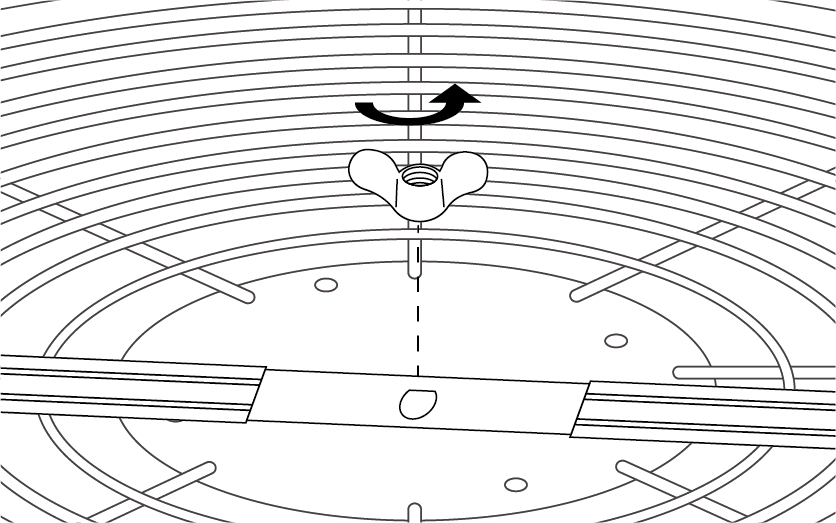
STEP 2
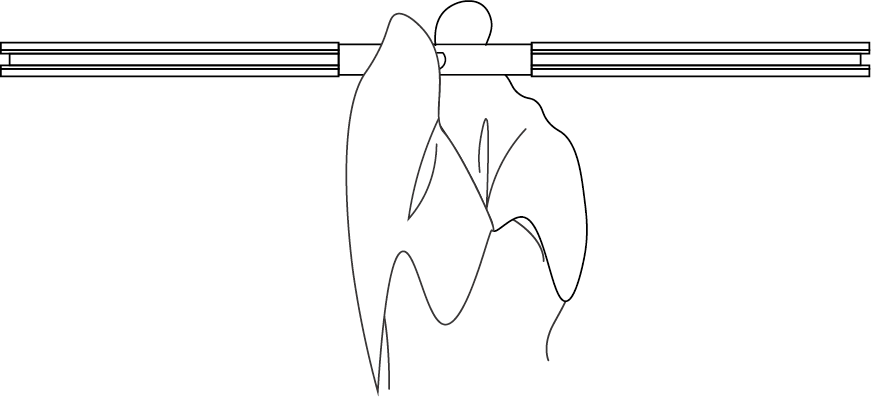
Remove the blade and replace it with a new one. It is recommended to hold the center of the blade with a soft cloth for safety.
STEP 3
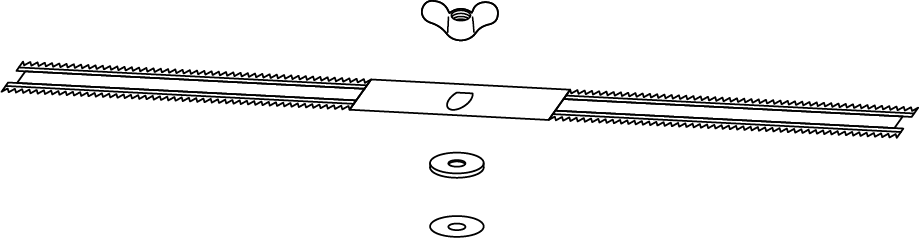
Install the new blade onto the central bolt at the back of the mesh screen, securing it with the washers and wing nut.
|
|

STEP 4
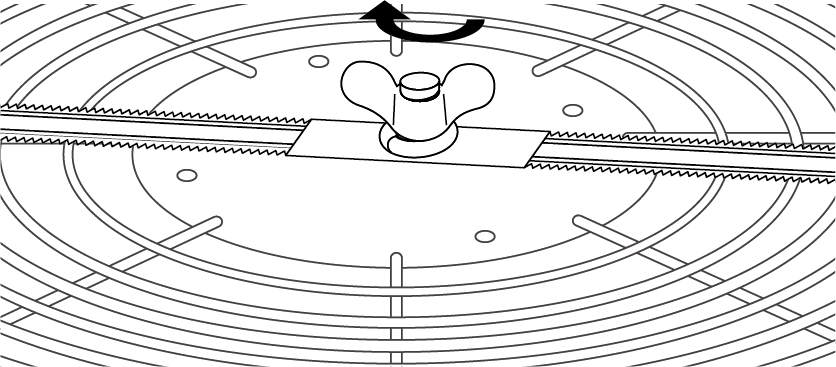
Tighten the wing nut to secure the blade. When using X-blades, install only one blade at a time, keeping the other as a spare.
|
|

TRIMMING
STEP 1 Select a flat, stable surface and position the anti-slip pad beneath the container. |
|
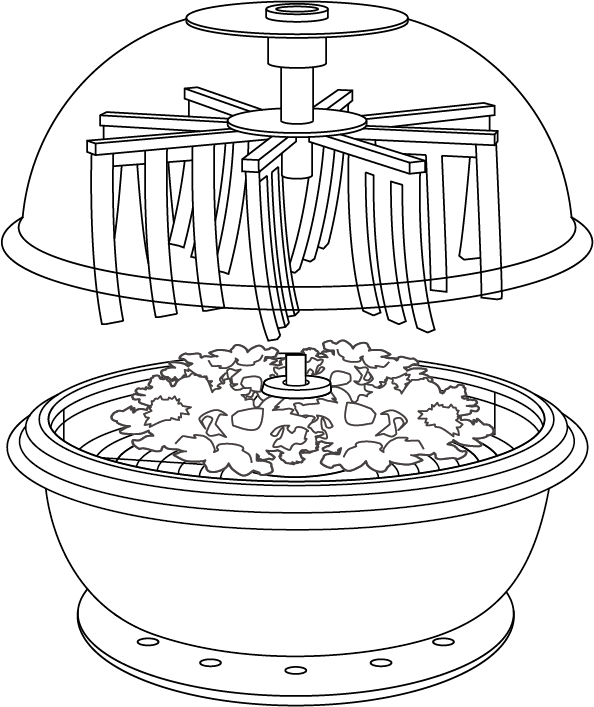
STEP 2 Place the buds or leaves you want to trim on the mesh screen. If needed, use shears to cut branches or buds to fit. |
|
STEP 3 Close the dome, ensuring that the rotation axis of the sweeping curtains aligns correctly with the axis on the screen. |
|
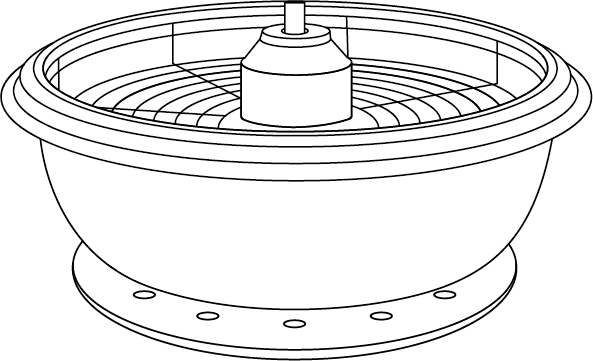
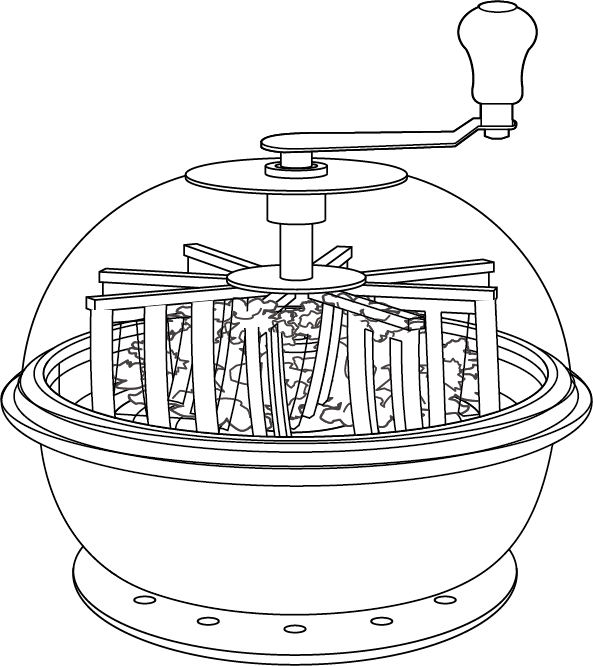
STEP 4 Insert the handle into the slot on top of the dome and rotate it clockwise. The sweeping curtains will roll the buds or leaves while the blade beneath the screen trims them. Note: Always rotate the handle in the same direction. If the sweeping curtains get stuck, open the dome and adjust them. If the blade rubs against the screen, follow the adjustment instructions on pages 6–7. |
|
STEP 5 Stop rotating when finished. Open the dome and collect the trimmed buds or leaves from the screen. Handle with care and wear appropriate gloves while collecting. |
|
STEP 6 Use the included U-shaped scissors to perform fine trimming as needed. |
|



Maintenance
CLEANING
It is recommended to clean the main components of this product after each use or on a regular basis.
STEP 1
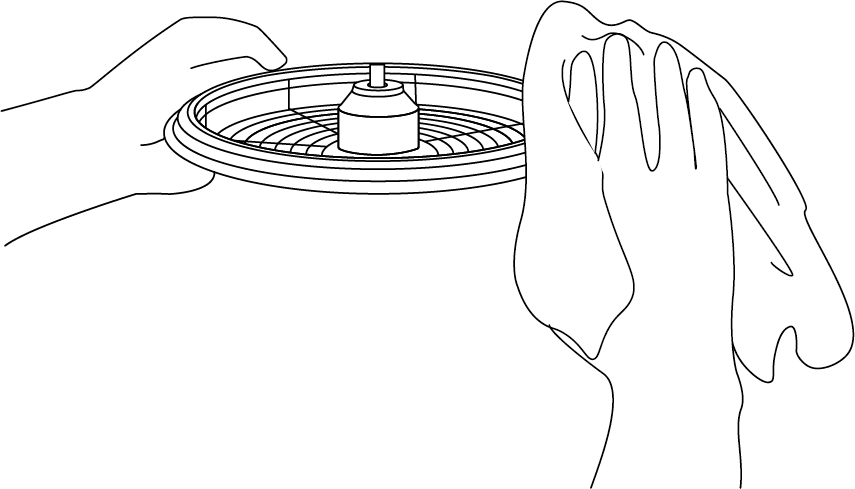
Remove the blade following the instructions on page 6. Use a damp cloth to clean and wipe away any sticky residue from the blade, sweeping curtains, screen, dome, and container.
STEP 2
Reinstall the blade onto the screen following the instructions on page 7. Ensure the cleaned blade and other parts are completely dry before the next trimming session.

Contents

We help you grow your best green.

We provide the highest quality.

We relentlessly pursue the future.

We make growing more enjoyable.

We support every grower.
Sign up and get 8% off your first order
©2026 Vivosun All Rights Reserved